


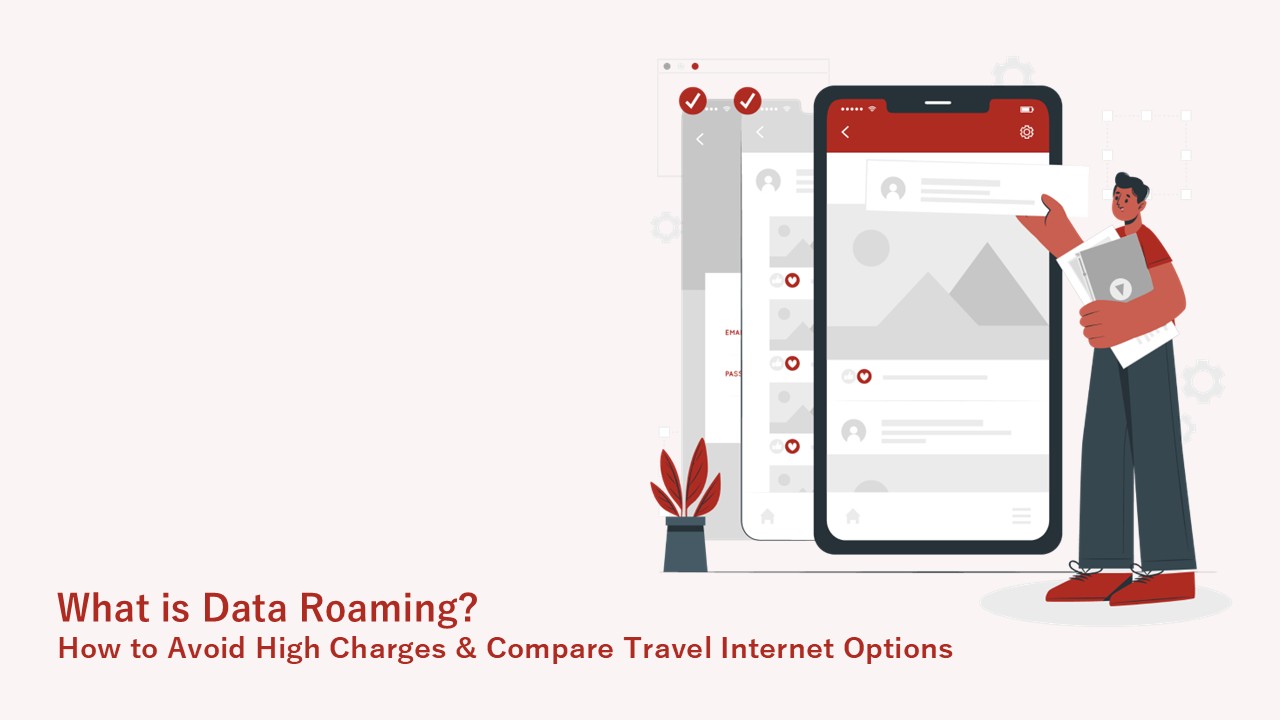
Data roaming is a system that allows you to connect to the internet by borrowing the network of a local telecommunications company when you are overseas, outside the coverage area of your contracted domestic carrier. While it is convenient because you can communicate simply by turning on the setting, there is a risk of incurring high charges due to pay-as-you-go billing if you are not subscribed to a flat-rate plan. This article explains the mechanism of data roaming, how to configure settings to prevent high charges, and compares various methods for comfortable communication abroad.
- Data roaming uses local carrier networks for communication abroad.
- Turning on roaming without a flat-rate plan risks high pay-as-you-go charges.
- You can toggle it on/off from the mobile data settings on your smartphone.
- Reviewing app auto-updates and background data settings is effective in preventing high charges.
- Alternatives to roaming include Wi-Fi rentals and eSIMs for overseas communication.
What is Data Roaming?
Here, we outline the basic mechanism of data roaming and its functional differences from voice roaming.
A System Using Overseas Carrier Networks
Data roaming is a feature that allows you to connect to the internet using the network of an affiliated local carrier when you are overseas and out of range of your domestic carrier. Normally, your smartphone communicates with your contracted carrier’s base stations, but these do not exist abroad. By routing through the facilities of an affiliated local carrier, you can browse websites and use apps just as you do at home, even across borders. However, in areas without affiliated carriers or poor network infrastructure, communication may not be possible even if roaming is turned on.
Difference Between Voice Roaming and Data Roaming
While voice roaming is a calling feature using telephone lines, data roaming is a data communication feature using internet lines. When calling family back home from abroad, voice roaming is used; when checking a destination on a map app, the data roaming network is used. Although both rely on borrowing local networks, the billing systems are generally set separately depending on the type of line used.
What Happens When You Turn On Data Roaming? Risks of High Charges
We explain the risks of carelessly turning on data roaming and the causes of unintended data usage.
| Risk Factor | Points to Note & Countermeasures |
|---|---|
| No flat-rate plan | Pay-as-you-go billing can lead to high charges; check your plan in advance. |
| Background data | Unintended data usage occurs via app auto-updates; review your settings. |
High Charges from Pay-As-You-Go Billing Without a Flat-Rate Plan
If you turn on data roaming without subscribing to an overseas flat-rate plan in advance, you will be billed on a pay-as-you-go basis according to your data usage, risking exorbitant communication fees. Subscribing to an overseas flat-rate plan provided by your carrier beforehand can help you avoid such unexpected charges. We recommend checking your current plan’s overseas coverage before traveling.
Unintended Data Consumption via App Auto-Updates and Background Data
Even if you are not actively using your smartphone, app auto-updates and background data synchronization can cause significant unintended data usage. Features like cloud photo syncing and location tracking continue to communicate even when the screen is off, consuming large amounts of data unnoticed. To prevent high charges, it is crucial to review your background data settings. Specific configuration methods are explained in the next section.
How to Turn Data Roaming On and Off
Here are the steps to toggle data roaming on and off for both iPhone and Android devices.
| OS | Settings Menu Location |
|---|---|
| iPhone | “Settings” > “Cellular” > “Cellular Data Options” |
| Android | “Settings” > “Network & internet” > “Mobile network” |
Data Roaming Settings for iPhone
To configure data roaming on an iPhone, open the “Cellular Data Options” screen from “Cellular” in the “Settings” app. Specifically, go to “Settings” > “Cellular” > “Cellular Data Options,” and tap the “Data Roaming” switch to turn it on or off. Turning this switch off when not needed prevents unexpected data usage.
Reference: About cellular data roaming options for your iPhone and iPad – Apple Support
Data Roaming Settings for Android
For Android devices, toggle the setting by selecting “Mobile network” under “Network & internet” in the “Settings” app. While the exact wording may vary slightly depending on the device and OS version, the general flow is to select the roaming on/off option from the network-related items within the “Settings” app.
Comparing 4 Ways to Connect Your Smartphone to the Internet Abroad
We outline the features of the main methods for using the internet abroad: carrier roaming, Wi-Fi rentals, eSIMs, and free Wi-Fi.
| Communication Method | Features & Benefits |
|---|---|
| Overseas Roaming | Use your current smartphone as is; no need to pick up devices in advance. |
| Wi-Fi Rental | Connect multiple devices simultaneously; easy to keep costs down for group travel. |
| eSIM | No physical card swapping required; can be activated online the same day. |
| Free Wi-Fi | Free of charge, but comes with security risks and potential connection instability. |
Carrier Overseas Roaming (Flat-Rate Plans)
By using your current carrier’s overseas flat-rate plan, you can use your smartphone and phone number abroad just as you normally do. Pre-registered flat-rate services provided by major carriers are common, saving you the trouble of renting a router locally. However, for longer stays, the total cost tends to be higher compared to other communication methods.
Renting an Overseas Mobile Wi-Fi Router
Renting an overseas mobile Wi-Fi router is ideal for group travel or when you want to connect multiple devices like laptops and tablets simultaneously. You can pick up the router at the airport or via delivery before departure, and simply turn it on locally to establish a stable Wi-Fi environment. Splitting the daily flat rate among companions can significantly reduce the communication cost per person. On the downside, you must carry the router with you during your trip and keep an eye on its battery level.
Purchasing an Overseas SIM Card or eSIM
Purchasing an overseas SIM card or eSIM that uses local networks allows you to set up a communication environment relatively cheaply. You can either buy a physical SIM card in advance and swap it locally, or, if you have an eSIM-compatible device, simply download a profile online for same-day activation. While it is easier to keep costs down compared to carrier roaming or Wi-Fi rentals, you need to perform the initial setup and APN configuration yourself, which might be slightly challenging for those unfamiliar with smartphone settings. Choose the communication method that best suits your destination and length of stay.
Using Local Free Wi-Fi
Free Wi-Fi provided at airports, hotels, and cafes is a way to use the internet without incurring communication costs. Recently, Wi-Fi spots have been established mainly in major tourist areas, and in many cases, free Wi-Fi is sufficient for quick searches outside of transit. However, public Wi-Fi connected by an unspecified number of people is often unencrypted, posing a security risk of credit card information being stolen. Therefore, we recommend avoiding its use when entering personal information or making online payments.